a free online cheatsheet by VisiBone
I hope you find this
HTML quick-reference
useful.
Here are all HTML tags
with attributes and
values for XHTML 1.1,
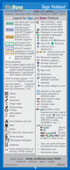
also known as HTML 4.01. The legend below
explains the color-
coding for browser and
standards support,
and the symbols.
By the way, that little
yellow hand shows
two things. First, it
appears near a feature
that's been deprecated
by the W3C standards
organization. BAD STUFF The hand is in
the vicinity of
a "bad" HTML
feature,
according to
the W3C. Secondly, to the right
of the hand is the
feature that W3C
expects us to use instead. GOOD STUFF The hand points
to a "good" HTML
or CSS feature. For example, the
style-sheet property {font-weight:bold}
should be used
instead of the HTML
tag <b>. Bad: <b>bold</b> Good: <span style=
"font-weight:bold">
bold</span> You might think W3C
or the thousands of
books and sites on
HTML would have
this useful second part
readily available, but
you would be wrong. If I seem a little proud
that VisiBone makes
the only reference on
the planet that informs
those nuggets, well,
you're right.
HTML Card:
• dense
• annotated examples HTML Foldouts:
• large print
• folds compact Click on the links to see
them up close. : : : So, please excuse the long
download time for this page. I'm disappointed it takes
longer for you to download
this page over a dial-up
connection than it does
to order the printed
products online.
Perhaps even to order
in bulk, or by mail.
Truly shameful state of
affairs. You may be wondering:
where are all the garish banners
and insidious pop-up ads?? Well, ok, here's one:

 shows
shows
 <== From this point down,
 You may be wondering:
